How to Make a Conference More Interactive: 12 Ideas
Your delegates are polite, they clap at the right moments, and many of them are on their phones by the second session. The fix is rarely one big gimmick. To make a conference more interactive, shorten the talking blocks and give the audience a way to answer back. Then fill the gaps between sessions with things to do, not just coffee to queue for.
The 12 ideas below run from low-effort changes you can make this week to hands-on activity that needs a supplier. Start at the top of the list and work down as far as your venue, agenda and budget allow.
Why delegates switch off
Delegates switch off when the format asks them only to listen. A day of back-to-back presentations in rows of chairs gives people no reason to speak, move or decide anything, so attention drifts and the real conversations happen in the corridor.
Three things usually cause it:
- Long unbroken talks. One speaker, one slide deck, 45 minutes.
- Q&A as an afterthought. Five minutes at the end, one confident person with a microphone, and everyone else stays quiet.
- Dead time between sessions. Breaks that are just queues for tea, so nobody meets anyone new.
How to make a conference more interactive: the quick wins
The quick wins are the changes that cost little and need no new suppliers. If you only do three things, do these.
1. Shorter talks with a question built in
Ask speakers to stop talking sooner and to ask the room something at least once. A short talk followed by a real question gets more thinking out of delegates than a long talk followed by “any questions?”.
There is no magic length. Check what your speakers can realistically deliver and brief them early. Speakers who have never been asked to be interactive need a clear prompt, such as “ask the room one question in the first five minutes.”
2. Live polling and moderated Q&A
Polling and moderated Q&A let every delegate respond at once, not just the confident few. Delegates vote or submit questions from their phones, and a moderator picks from the stream and puts the questions to the speaker.
Use whichever tool your venue or event app already includes, and have one named person run it. Anonymous questions help where junior staff sit near senior ones. Tool features vary, so check yours first.
3. Change the room layout
Rows of chairs facing a stage tell people to sit quietly. Cabaret-style tables, a few standing perches or a horseshoe layout make it easier to turn to a neighbour and talk. Check capacity and fire-safety limits with the venue before you change anything, as layouts change how many people fit.
Make the sessions two-way
Sessions become two-way when the audience has a job to do. The formats below all give delegates a role, and they can replace some of the standard talks without rebuilding the agenda.
4. Panels, fishbowls and roundtables
A panel only works if the moderator is good and the panel is short. A fishbowl, where a small inner circle of speakers talks while a few empty chairs let audience members step in, gets more people into the conversation. Roundtables give each table a topic and a facilitator, then collect a point or two from each table to share with the room.
Whichever format you choose, brief the moderator to cut off long answers and bring in quieter voices.
5. Workshops and breakout sessions
Workshops split the room into small groups with a task. They suit topics where you want a result, such as a list of priorities or a shared problem to solve, rather than information to absorb.
Give each group a clear task, a time limit and something to report back. Hands-on indoor team building challenges such as a CSI Investigation can also suit workshop-style breakouts.
6. Lightning talks
Lightning talks are very short presentations, often five minutes or so, back to back. They keep the pace up, give more people a platform and make it easy to move on from a talk that isn’t landing. Hold one block of them in the afternoon, when energy dips.
Use the breaks to get people moving
The breaks are where many conferences miss their best chance to be interactive. Fill them with something optional and low-pressure, and people mix without being told to.

7. Free-flow, drop-in activities
Free-flow activities let delegates join in for two minutes or twenty, then drift back to their conversations. They work well because nobody has to commit or perform.
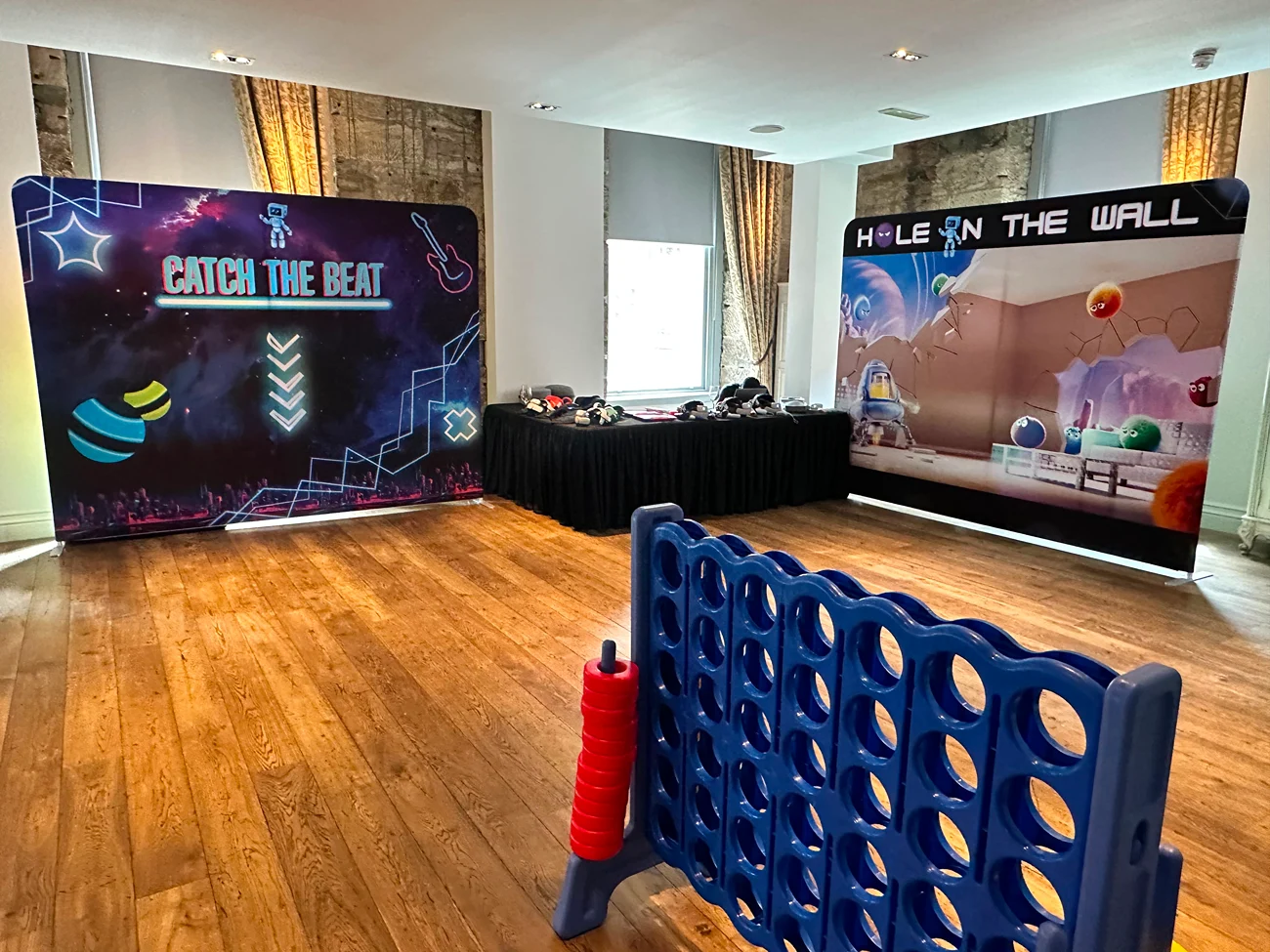
Our arcade games run as a free-flow, drop-in format. Other formats we offer can also be set up as stations in the gaps between sessions:
- Arcade Games. Retro arcade, air hockey, table football, darts and shuffleboard. See our arcade games.
- Driving Simulators. From 1 to 16 simulators with 55-inch screens and force-feedback wheels, with optional VR headsets and custom branding.
- VR and AI & Metaverse Arcade. 1 to 50 VR headsets for groups from 10 to 1,000, and beginner friendly. Teams can also try our VR escape room.
- Augmented Reality. Custom-built, branded AR spaces and games for conferences.
Think about space before you book anything. Each experience has its own footprint, so ask us for the dimensions and plan a clear route so a queue doesn’t block the coffee.
8. Networking that isn’t forced
Many delegates dislike forced icebreakers. Give people something to do together and the conversation comes with it. A shared challenge, a quiz table or a game station gives strangers an easy first line, which “so, what do you do?” doesn’t.
Small touches help too, and our team building events can help with networking: colour-coded name badges to mix teams, a question on the badge to start a chat, or a few seats near the activity so people can watch and join.
Gamify the whole day
Gamification means giving the day a light, shared game rather than a single activity. Delegates earn points for visiting stands, attending sessions, answering polls or completing a challenge, with a small prize at the end of the day.
Keep the rules to one sentence and show a leaderboard on a screen in the main room. Reward the behaviour you want, such as meeting a new person or visiting a sponsor.
For an end-of-day payoff, a hosted game show works well. Our game shows and quizzes include Taskmaster-style challenges, Cube challenges, quizzes and bingo, with company-themed customisation and setup included, and they suit post-conference or end-of-day socials. One client, Laravel Live, wrote after an event we ran for them:
“We used Gold Tier Events for an after-conference social with 250+ guests, and I cannot say enough good things about Reece and his crew. They worked with us to understand and implement our requirements, and executed everything professionally and on time. From start to finish, everything was handled perfectly.”
Jonathan Behr, CTO / VP of Engineering, Laravel Live
If you’re planning the evening as well as the day, ask us about options for the social after the last session.
Include remote and hybrid delegates
Remote delegates take part only if someone is designed to include them. If part of your audience joins online, give them the same tools as the room and a person whose job is to speak for them.
- Name an online moderator who reads out questions from remote attendees and watches the chat.
- Open the same polls to both groups, so online votes count too.
- Break up long sessions. Shorter blocks and regular pauses help remote delegates stay with the session.
- Avoid the dead zone. Make sure the microphones pick up audience questions, so remote attendees can hear them.
Good audio matters more than good video. Our audiovisual service covers microphones, PA, staging, projectors and screens, with on-site tech support.
Keep it inclusive
Interactive does not have to mean loud, physical or public. Some delegates prefer to take part quietly, and some have access needs that rule out certain formats.
- Offer more than one way to take part. Anonymous questions, polls, table discussions and drop-in activities suit different people.
- Don’t force anyone on stage. Make participation opt-in.
- Check access needs early. Ask delegates about accessibility and dietary needs at registration, and confirm what works with your venue and supplier.
Mistakes that kill participation
Many interactive ideas fail because of how they are run, not because of the idea. These are the common ones.
- Too many ideas at once. Pick a handful. A day packed with polls, games and breakouts is tiring and nobody remembers any of it.
- No briefing for speakers. If a speaker ignores the poll, delegates stop using it.
- Tech that needs a login. Anything slow to join will lose people. Test it on the venue’s wifi.
- Activity with no space. A great station in a cramped corridor creates a queue, not an experience.
- Forced fun. Mandatory icebreakers and surprise stage calls put people off for the rest of the day.
Choosing what fits
Pick the ideas that match your group size, your appetite for effort and your goal. The table gives a quick comparison.
| Idea | Group size | Effort | Best for |
|---|---|---|---|
| Shorter talks with a question | Any | Low | Every conference |
| Live polling and Q&A | Any | Low | Large rooms, mixed seniority |
| Room layout change | Any | Low | Smaller or medium rooms |
| Fishbowl or roundtables | 20 to 200 | Medium | Discussion topics |
| Workshops | Groups of about 6 to 12 | Medium | Getting a result |
| Lightning talks | Any | Medium | Afternoon energy dips |
| Drop-in activities | Varies by activity | Medium, with a supplier | Breaks and receptions |
| Networking with a shared task | Any | Low to medium | Mixing teams |
| Gamification | 50 or more | Medium | Multi-session days |
| Hosted game show | Ask us | Medium, with a supplier | End-of-day social |
| Hybrid moderation | Any | Medium | Online and in-room mix |
| Inclusive options | Any | Low | Every conference |
Plan it with us
We plan and deliver conferences and corporate events for 20 people or 2,000. That includes full event planning and coordination, a curated mix of interactive experiences, setup, breakdown and all equipment, professional hosts, and a free venue finding service. See how we run conference events.
Tell us about your event and we’ll put together a tailored proposal. Send us your enquiry, and we’ll reply within one business day.
FAQs
What are some interactive ideas for a conference?
Five that work in most rooms: live polling with moderated Q&A, shorter talks with a question built in, roundtables instead of another panel, free-flow activities in the breaks, and a light game that runs across the whole day. Start with the cheapest, the polls and the shorter talks, and add the hands-on elements once those are working.
What are some fun breakout room ideas for work?
Give each group a task with a clear end point: a timed challenge, a short build, a quiz round or a problem to solve and present back. Keep groups small enough for everyone to speak, and give each one a facilitator. A short briefing on the task before groups split up also helps.
How do you make work meetings more engaging?
The same principles apply on a smaller scale. Keep talking blocks short, ask a real question early, give people something to do with their hands or their votes, and end with a decision rather than a recap. Cutting the agenda to fewer items often helps more than adding a clever format.
What should you not do in a virtual meeting?
Don’t treat remote delegates as an audience for the in-room event. Avoid long unbroken talks, questions that only reach people with a microphone in the room, and chat channels nobody monitors. Give online attendees a named moderator, the same polls and a way to ask questions.